YOUR WEBSITE, AS AN APP.

Website to app converter
for Android & iOS.

Use AppCrafto’s website to app converter to turn your existing site into a branded Android or iOS app.
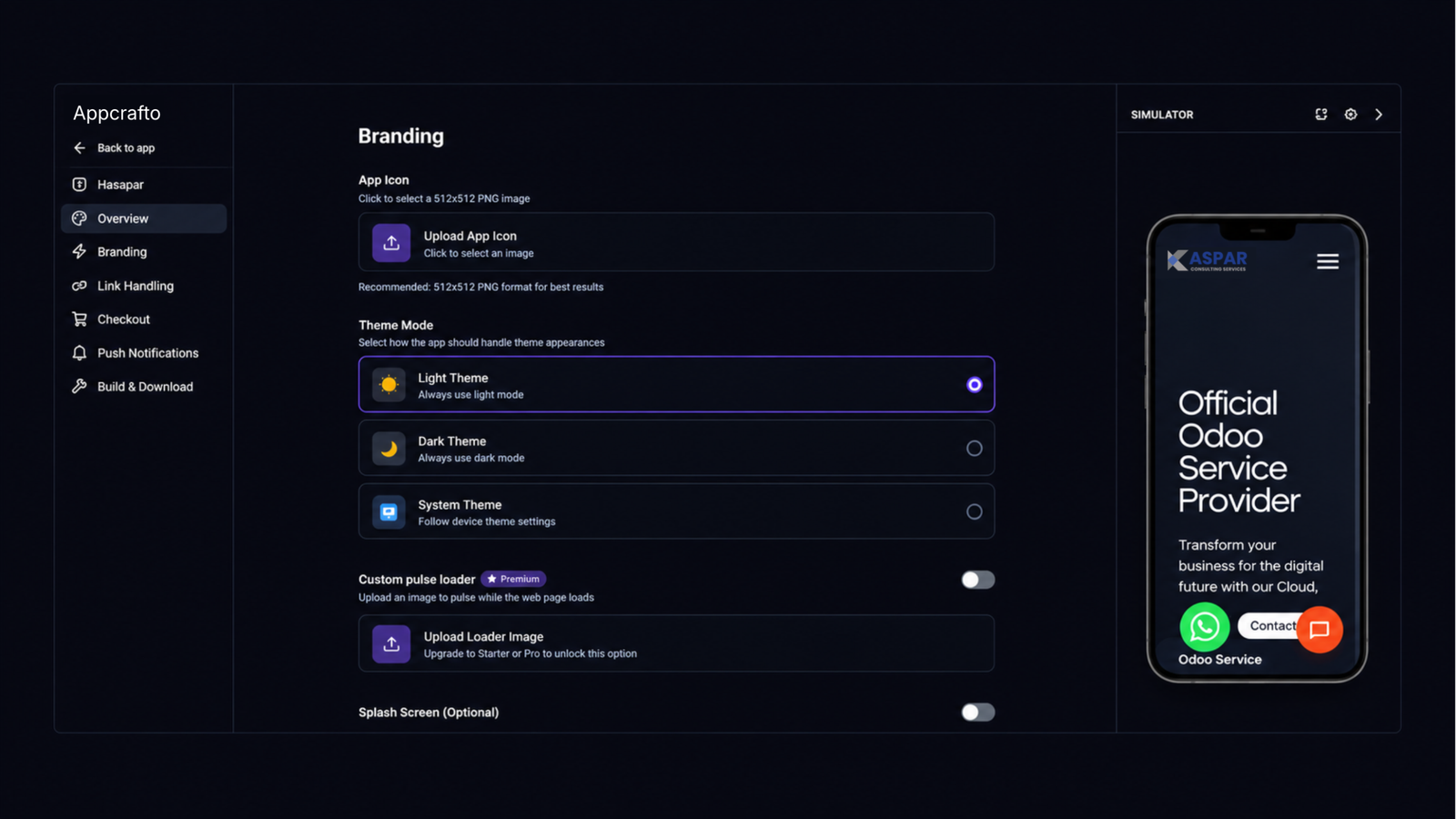
Add your name, icon and colours, then start with a free Android test build. Push notifications are available on Pro.

✳ One website. A new way to experience it.
INTERACTIVE CONCEPT
forma.example↗
forma.
CollectionOur story↗
CONSIDERED OBJECTS. EVERYDAY JOY.

Good design.
Better everyday.

Thoughtful pieces for the spaces you call home.

Explore the collection ↗
Website to app converter preview for Android and iOS
Made for the everyday.Designed to stay with you. ↗
9:41▮▮ ▰
forma.☰
MADE FOR YOU

Good design.
Better everyday.

Website to app converter branding and mobile app preview
The everyday collection ↗
Home
Explore
Saved
You
f.
Your brand, front and centre.App icon · Splash screen · Colours
✓

01 / YOUR EXISTING WEBSITE

02 / YOUR BRANDED APP
Same content. One place to update.Built for Android & iOS
Built for real websites
Online stores
Web apps & SaaS
Booking sites
Content sites
Agencies

Why AppCrafto

You’ve done the hard part.
Keep building on it.

Your app uses your existing website. Edit your website once, and your Android and iOS apps reflect the changes automatically

01 · Build in the browser

Your website to app converter
starts with a URL.

Paste your website URL into the website to app converter, configure your app identity, and generate supported Android build files in the cloud.

  • Add your website URL

  • Set app name, icon and splash screen

  • Build without local Android tooling

02 · One website to maintain

Update once.
Reach every screen.

The app loads your live website, so changes to your pages, products and bookings appear without a separate content update.

  • Update content on your website

  • Keep products, bookings and accounts in one place

  • Rebuild mainly when app configuration changes

03 · Build for your launch path

Your launch.
Your platform.

Android build files are available on every plan. Pro adds iOS delivery, subject to platform requirements.

  • APK for Android testing

  • AAB for supported Google Play delivery

  • iOS builds where included by plan

Android APKUseful for device testing
Ready
Android AABSupported store delivery format
Launch
iOS deliveryAvailable where included by plan
Pro
04 · Know the whole job

Know what happens
after the build.

AppCrafto creates the app build. You provide your website, developer accounts, store details and policy information. Publishing help depends on your plan.

  • Clear responsibilities before checkout

  • Supported publishing guidance

  • Understand store review requirements
A clear handoff from build to publishing

AppCrafto handles

Supported app builds

App visual configuration

Build history & rebuild access

You handle

Developer accounts

Store assets & declarations

Policy & review responses

Store approval is controlled by Google Play and Apple, not by the build tool. Review the official Google Play publishing requirements and Apple App Review Guidelines.
Mobile extras

Give the app
your name, icon and colours.

Your plan determines which branding, notification and monetization options you can add to your app.

Branded app identity

App name, icon, splash screen and supported appearance controls.

Push notifications

Available where supported by the selected platform and plan.

Monetization support

Ad integration such as AdMob where included and supported.

Build history

Keep supported builds and rebuild access according to your plan.

How it works

Convert your website to an app
in three steps.

Start with your website URL, choose the app details and install a build to test.

01

Add your website

Paste the public URL of the website you want the app to open. It should already work well on phones.

02

Make it yours

Set the app name, icon, splash screen, brand colours and supported settings.

03

Build & test

Generate a supported build in the cloud, install it on a device, then decide how you want to launch.

Example uses

Three practical
app examples.

Explore how a store, a publication and a booking business could bring their web experience to mobile.

Illustrative concepts · Not verified client results
forma.
OBJECTS FOR EVERYDAY LIVING
Good design.
Better everyday.
forma.
Your everyday,
beautifully made.
Home   Explore   Saved
Online storeExample

Your store
on their home screen.

Put your existing store on customers’ home screens. Keep the catalogue they already use.

Brand identityLive catalogue

The opportunity

Give returning shoppers a direct way back to the store.

The proposed approach

Connect the existing storefront, add a branded app icon and test product discovery, accounts and checkout on a real device.

What to validate

Login, payment redirects and the full order journey before launch.

elsewhere.
FOR CURIOUS READERS
A different
point of view.
elsewhere.
Stories worth
taking with you.
Read   Discover   You
PublishingExample

Your publication
in an app.

Give readers an app experience while your editorial team keeps publishing through the same website.

One content sourceMobile reading

The opportunity

Make it easier for regular readers to return to fresh stories.

The proposed approach

Use the publication’s responsive reading experience inside a branded app, with supported navigation and notification options.

What to validate

Article layouts, media playback, subscriber login and any paywall flow.
still.
MAKE ROOM FOR YOURSELF
A little space.
Just for you.
still.
Find your rhythm.
Book your next class.
Home   Classes   You
Bookings & servicesExample

Bookings
from the home screen.

Put your existing schedule, classes and customer accounts into a familiar branded mobile experience.

Existing booking flowCustomer accounts

The opportunity

Offer regular customers a convenient way to browse and book.

The proposed approach

Connect the mobile booking website, apply the studio’s branding and test the complete reservation flow.

What to validate

Availability, payments, confirmations and rescheduling across supported devices.

Have a website with its own story?

Before you build

Will your website work well
with a website to app converter?

AppCrafto works best when your website already delivers a strong experience on a phone. The app inherits that customer journey.

A good fit

Website that works on phonesKey pages and actions already work well on a phone.
Online stores & bookingsCustomers already complete the core journey in a mobile browser.
Web app or SaaSYour product already works well from a mobile browser.

You may need custom development

Website built only for desktopFix the mobile layout first. The app shows the same website.
Deep hardware requirementsHeavy Bluetooth, specialist camera or persistent background tasks may require native development.
Heavy offline useIf the core product must work extensively without connectivity, this approach may not suit it.
Example uses

Different websites.
Practical app ideas.

See how a store, an agency and a publisher could use an app built from their existing website.

Illustrative examples, not customer stories
AGENCY · EXAMPLE

Build an app from a client website that works well on phones. Test the full flow on a device before delivery.

02
Agency projectBuilt from a client website
PUBLISHING · EXAMPLE

Give readers a way back to your publication from their home screen while your team continues posting on the same site.

03
Publisher appStories from the live website
Simple launch choices

Start free.
Choose a plan to launch.

Build and test first. Then choose the platform coverage and publishing support your launch needs.

Free plan

Free

Build your first Android app

$0

Free forever

1 Android app
Unlimited APK builds
1 AAB build
All Android features
Push notifications & monetization
AppCrafto branding
Customizable design
Consent screen prompt
Publish it yourself
Monthly

Pro

Android + iPhone for one app

$14/month

Billed monthly

1 Android & iPhone app
Unlimited APK builds
Unlimited Android & iOS builds
All features
Push notifications & monetization
No AppCrafto branding
Customizable design
Consent screen prompt
Managed publishing
Refund window: 30 days
Common questions

What to know
before you build.

Find out what you need to build, test and publish an app from your existing website.

No. You need your website URL and the branding assets you want to use. App configuration and the supported build workflow are handled through AppCrafto.

No. AppCrafto uses your existing website as the experience inside the app. That lets you keep one primary website to maintain instead of creating a second copy of the same content.

Ordinary website content changes appear through the app because the app loads your live website. A new build is mainly needed when the app configuration changes or platform requirements require an updated release.

No. Your website should already work properly on mobile. Sites that depend on deep hardware integration, extensive offline functionality or capabilities the website does not already provide may need custom development.

Supported plans can provide the required build formats, but publishing is a separate process involving developer accounts, store assets, policy requirements and platform review. Store approval is controlled by the platform, not AppCrafto.

Yes. If you build apps for clients, tell us how many you expect to manage and whether you need your agency branding. We can discuss the right arrangement.

Your website is already built

Convert your website.
Try it as an app.

Use the website to app converter to create a free Android test build from the site you already run.

No card required to start. Prefer to ask first? Contact us →